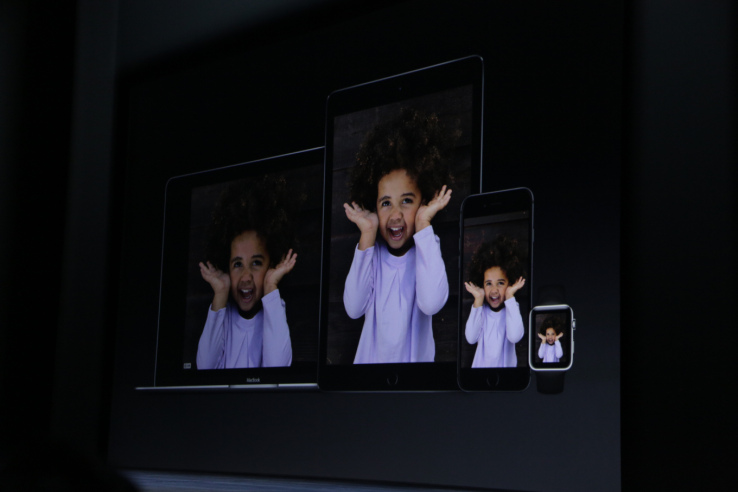
The latest version of Apple’s El Capitan operating system for Mac, which was released into beta just this week, will bring support for Live Photos to the desktop through Mac’s Messages application. Previously, Mac users could only view these animated photos in Apple’s Photos app, but now they’ll be able to be viewed and shared over iMessage as well, according to reports from beta testers.
Live Photos were first announced this past fall as a feature in the new iPhone 6s and 6s Plus, offering something of a “Harry Potter-like” experience as the photos actually come to life when pressed by taking advantage of 3D Touch. The end result is similar to a GIF, but is instead a combination of a still photo buffered by a video that captures both motion and sound.
As the format has been growing in popularity, support for Live Photos has been rolling out across social services as well, initially with Tumblr, and then shortly thereafter, Facebook integrated support for uploading and viewing the photos from its iOS app. On Facebook, a “LIVE” box appears in the bottom-right to designate that the photo you’re viewing is a Live Photo – meaning, it can tapped to see the animated version.
Now, with the added support for Live Photos in Messages on the Mac, when you receive a photo from a friend in an iMessage, you’ll notice an icon at the top-right hand corner that denotes if it’s a Live Photo. If you open the image with Quick Look, a Live Photo Play button will also appear at the bottom-left hand corner.
Unfortunately, there is one drawback to this upgrade. As 9to5Mac reports, if you then drag that Live Photo to your desktop, it becomes a still image, as it does when copying and pasting the photo, too. Instead, to preserve the image in the Live Photo format, you’ll need to use the native share buttons.
The feature is available in the beta release of El Capitan, OS X 10.11.4, which was rolled out in beta format to developers earlier this week. As an incremental release, it wasn’t expected to include a lot of new additions beyond general stability, compatibility, and security improvements. The public release will not arrive until later this year.